How to Export Your YouTube Data
Follow these steps to get your YouTube watch history data from Google Takeout
1. Go to takeout.google.com
2. Sign in with your Google account if you haven't already
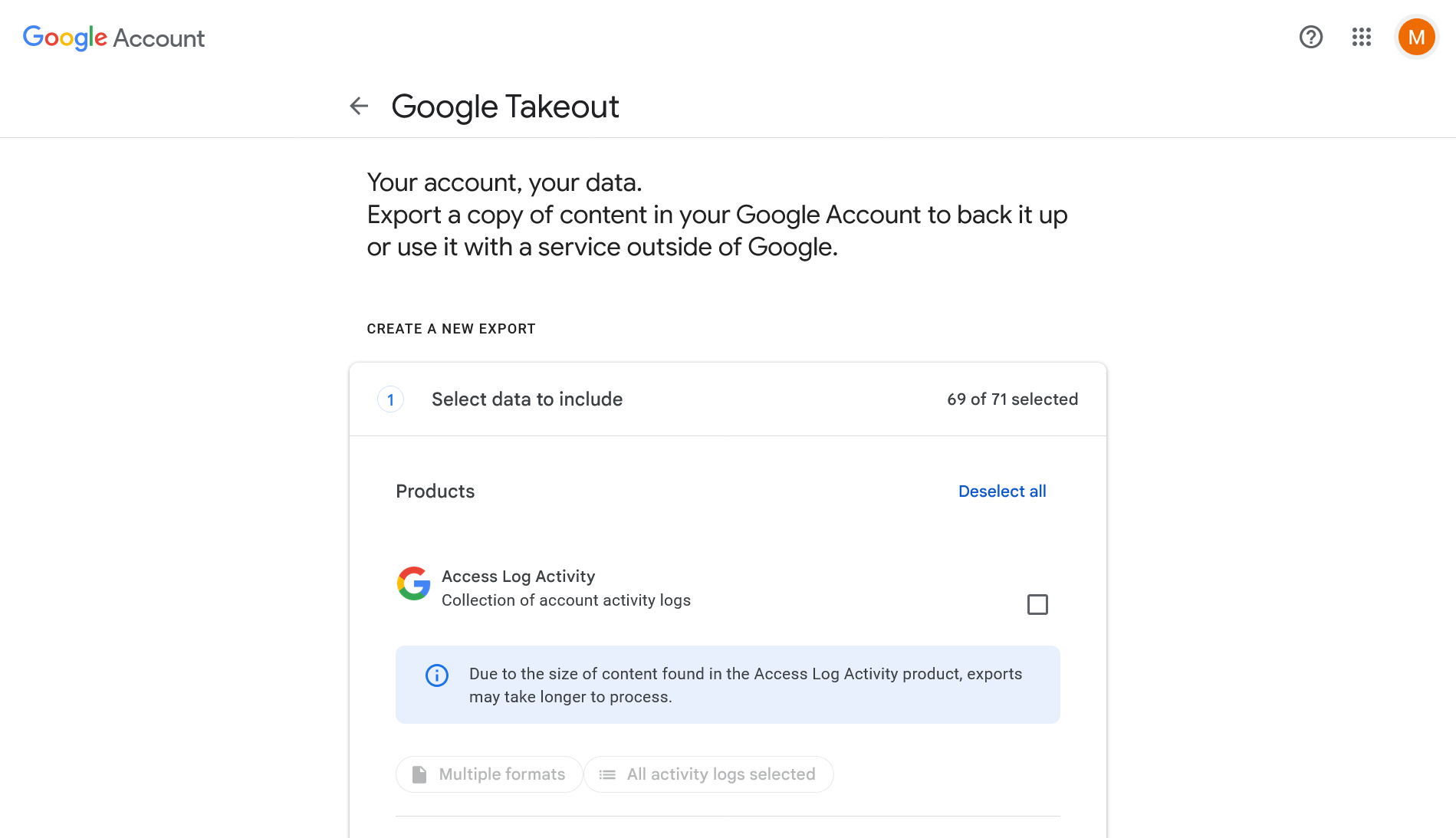
1. Click "Deselect all" to uncheck all services
2. Scroll down and find "YouTube and YouTube Music"
3. Check the box next to it
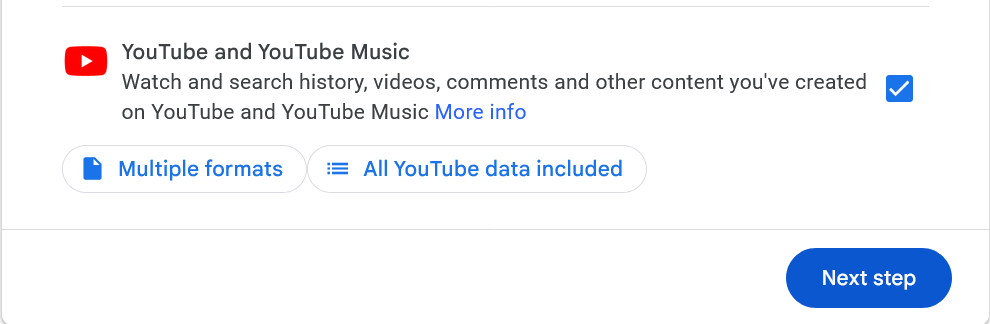
4. Click "All YouTube data included"
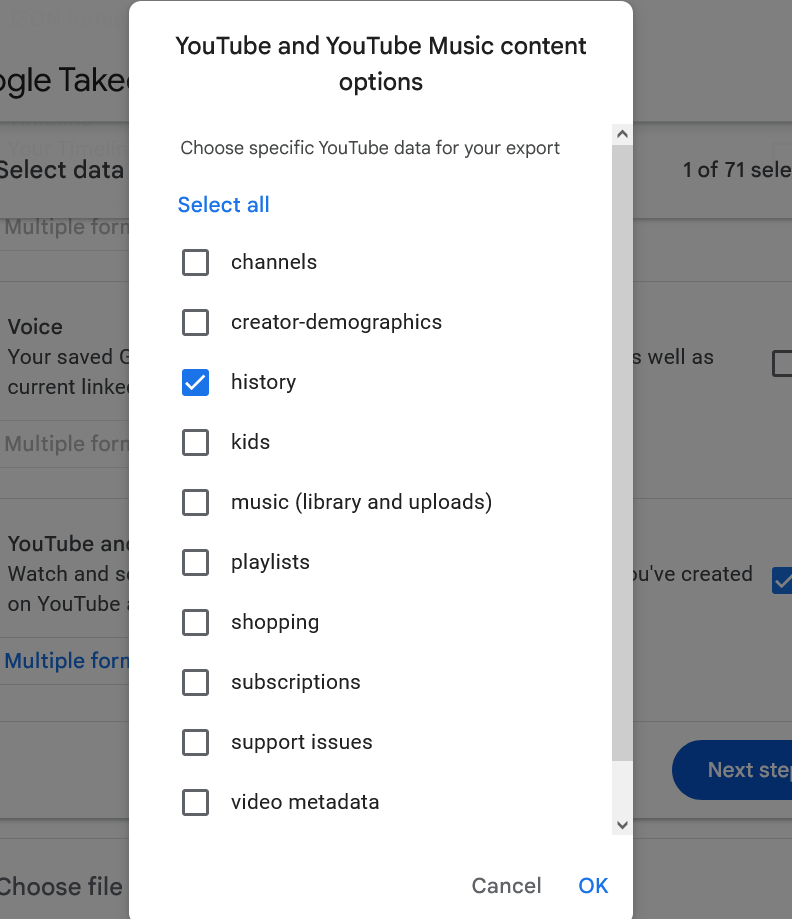
5. In the popup, make sure only "history" is checked
6. Click "Multiple formats" and scroll down to
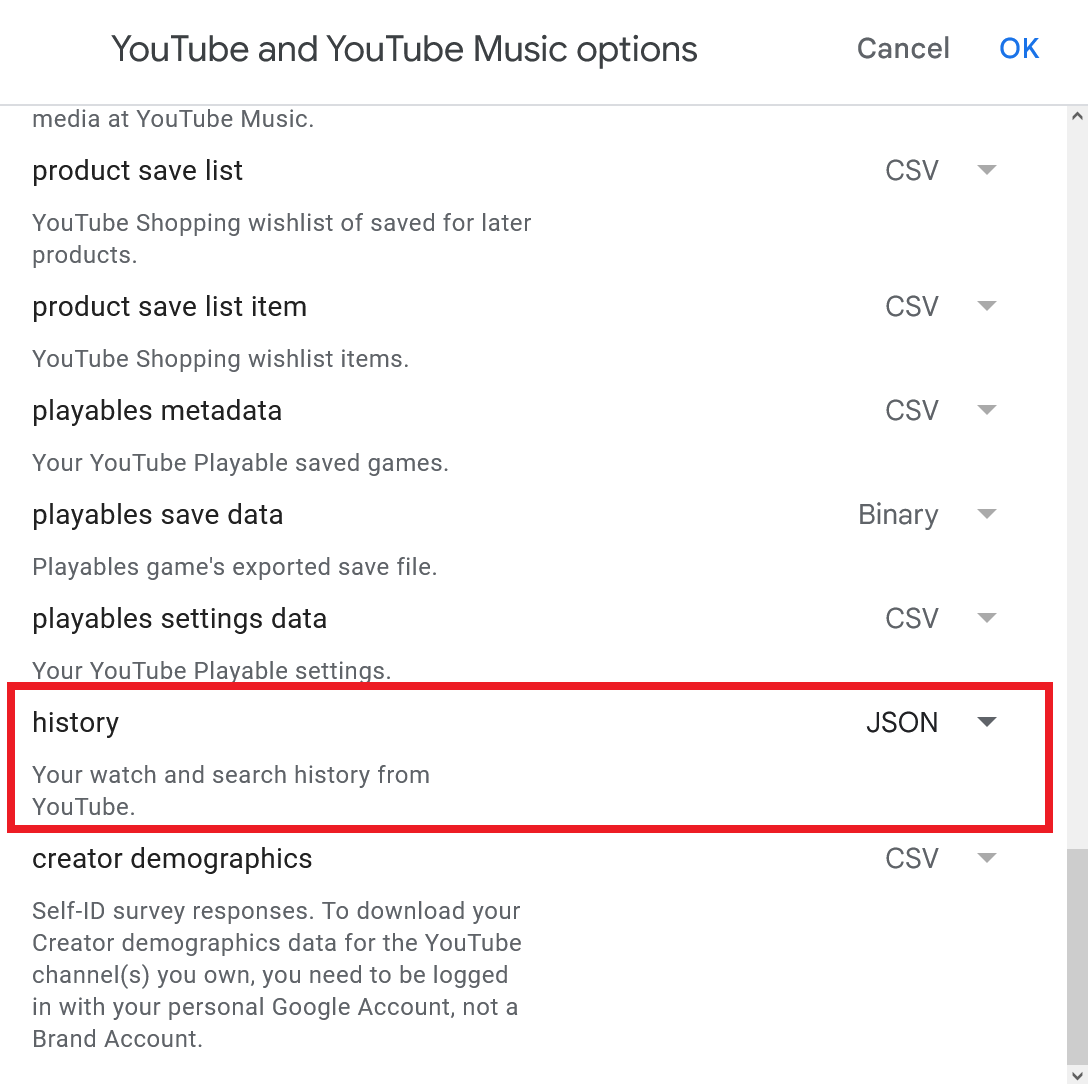
7. Click "Next step"
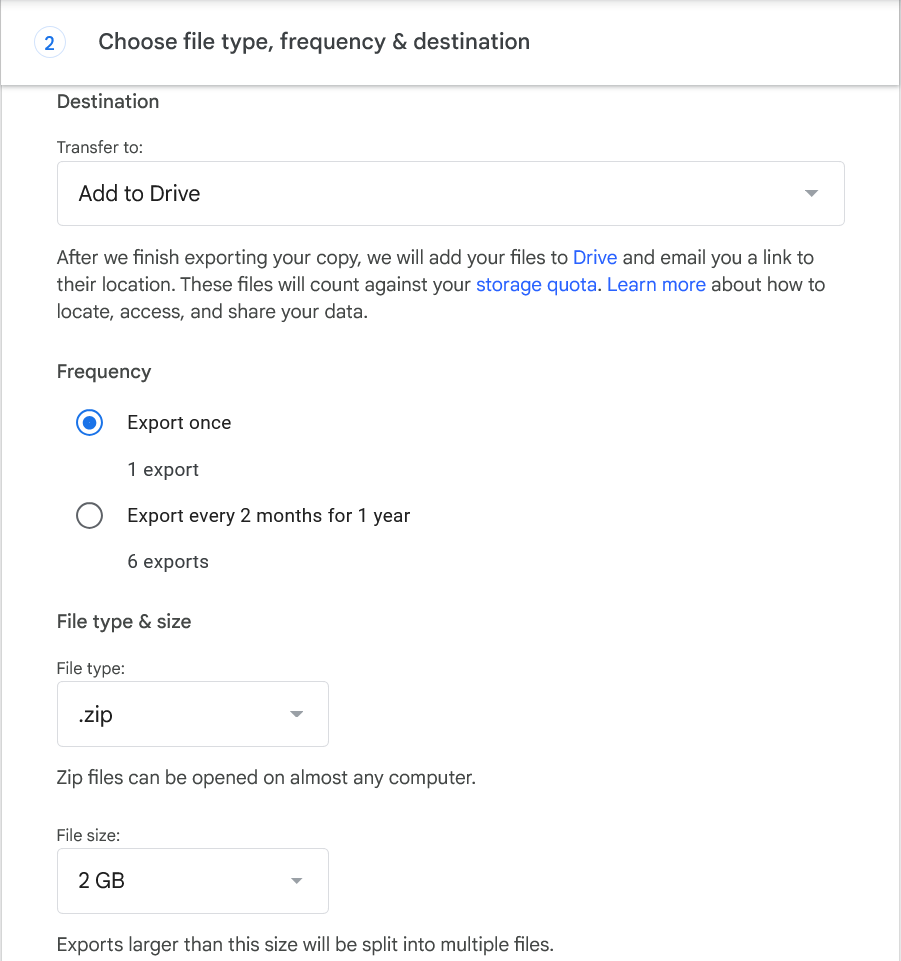
1. Under the "Transfer to:" dropdown, select your "Add to Drive"
2. Keep frequency as "Export Once"
3. Select your preferred file type (ZIP)
4. Choose your preferred file size (the 2GB option is fine)
5. Scroll down and click "Create export"
1. Wait for Google to prepare your data (this may take a few minutes to several hours - we really worry for you if it takes hours 😭)
2. You'll receive an email when your data is ready and you should be good to go!!